
Approving Requirements
As part of the review process, requirements can be approved and rejected by users.
When selecting an item in the document view, the item displays an approve/reject toolbar at the left:

Users may then click on the approve or reject button, which will prompt them to enter a reason for the decision:
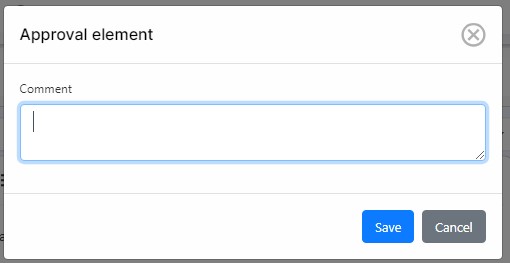
Users can revert a decision and change an approval for a rejection and a rejection for an approval.
A user can see the results of the approvals and rejections on the left hand side of the document.
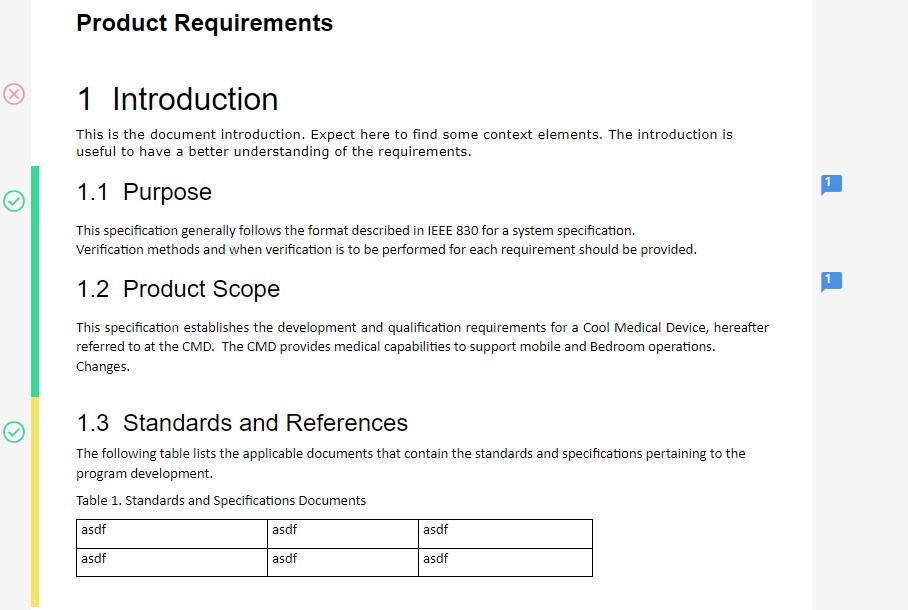
Selecting each item will display the toolbar with the overall number of approvals and rejections by all users. The complete list of approvals and rejections can be seen in the Approvals tab in the Properties panel:
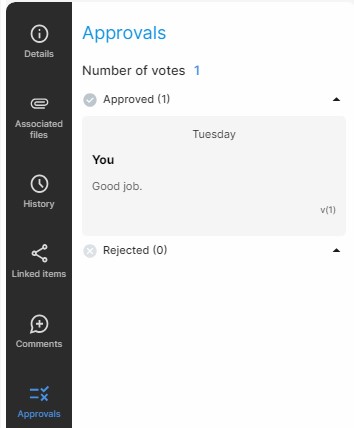
This tab will display:
- Status (approve/reject)
- Number of users approving and/or rejecting
- Usernames
- Comments • Dates
- Version number of the item that was approved or rejected.