Checking in/out Documents
In order to modify any element or its properties, whether it´s a folder, document, attribute or requirement, it´s necessary to check it out. This will protect the item and will prevent other users from editing the same element at the same time as you are. Once the changes are done, it´s necessary to check the element back in to allow users to perform their own changes.
Logging out of the application will not check elements in, and it´s necessary for users to explicitly check items in.
Checking out a document does not imply modifying the contents of the document. Checking out a document will ONLY entitle the user to modify the name or the properties of the document. To modify the contents of the document, it´s necessary to open the document and check out the specific items within the document.
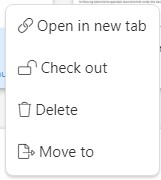
To check-in/out a document, simply right click on the folder or document and select the Check In or Check Out option depending on the current status: