
Switch between projects
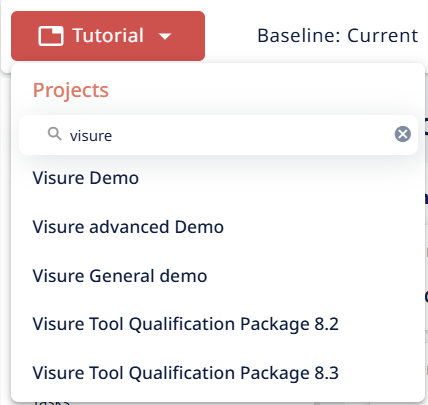
You can switch between Visure projects without signing out. The project selector lives at the top-left of the Application Bar — it shows the current project's name with a dropdown arrow.
To switch:
- Click the project name at the top-left of the Application Bar.
- The project list opens, showing all projects you have access to.
- If you have many projects, use the search field at the top of the list to filter by name — start typing and the list narrows to matching projects.
- Click the project you want to open.
Visure loads the new project. Any unsaved work in the previous project — including any active check-outs — remains as you left it. When you return to the previous project, your check-outs and unsaved state will still be there.
If the project you want isn't in the list, you don't have access to it. Ask a Visure administrator to add you to a user group in that project.

Read next: The user menu · The Application Bar explained